
Triggering Workflows
A workflow can be started in three ways: manually from the UI, via the REST API, or by an incoming HTTP request.
Manual trigger
From the Runs tab of any deployed workflow, click Trigger. A dialog lets you supply an optional JSON payload. Click Run to start the workflow.
Manual triggers are useful for testing and one-off executions.
API trigger
Use the REST API to trigger a workflow programmatically.
Endpoint
POST /api/workflows/:id/triggerRequired scope: deploy
curl example
curl -X POST https://app.awaitstep.dev/api/workflows/wf_abc123/trigger \
  -H "Authorization: Bearer ask_yourkey" \
  -H "Content-Type: application/json" \
  -d '{
    "connectionId": "conn_xyz",
    "params": {
      "orderId": "ord_001",
      "userId": "usr_42"
    }
  }'
The response includes the instanceId of the created run:
{ "instanceId": "wf-instance-uuid" }Polling run status
curl https://app.awaitstep.dev/api/workflows/wf_abc123/runs/wf-instance-uuid \
  -H "Authorization: Bearer ask_yourkey"
See Triggers API for full details.
HTTP trigger (Worker URL)
Every deployed workflow automatically gets a public Cloudflare Worker URL. The generated Worker includes a fetch handler that accepts HTTP requests and creates workflow instances — no extra configuration needed.
You can also serve workflows from your own domain using Custom Routes.
Default trigger code
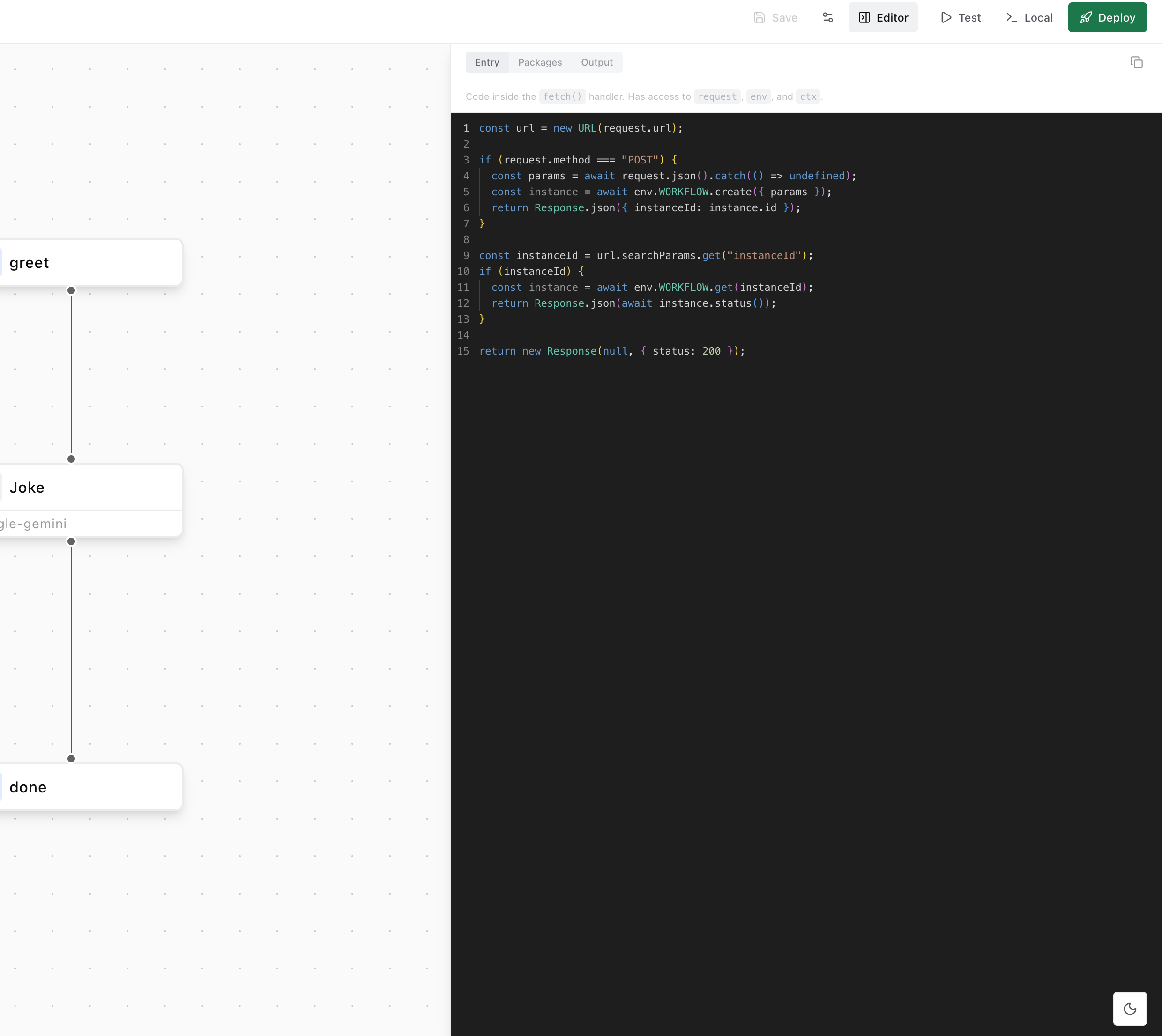
The generated Worker's fetch handler:
const url = new URL(request.url)

if (request.method === 'POST') {
  const params = await request.json().catch(() => undefined)
  const instance = await env.WORKFLOW.create({ params })
  return Response.json({ instanceId: instance.id })
}

const instanceId = url.searchParams.get('instanceId')
if (instanceId) {
  const instance = await env.WORKFLOW.get(instanceId)
  return Response.json(await instance.status())
}

return new Response(null, { status: 200 })
You can customise this code in the canvas editor panel under the Entry tab. This tab shows the fetch() handler code with access to request, env, and ctx.
Incoming webhook example
# Trigger the workflow
curl -X POST https://<your-worker>.workers.dev \
  -H "Content-Type: application/json" \
  -d '{ "event": "order.created", "orderId": "ord_001" }'

# { "instanceId": "abc-123-def" }

# Check status
curl "https://<your-worker>.workers.dev?instanceId=abc-123-def"
TIP
To secure the HTTP trigger, add signature verification inside the trigger code. Check an X-Signature header using crypto.subtle before creating the workflow instance.