
Cloudflare Connection
AwaitStep deploys workflows to your Cloudflare account using a scoped API token. You create the token once and paste it into the AwaitStep UI.
Create a Custom API token
- Open the Cloudflare API Tokens page.
- Click Create Token.
- Click Get started next to Create Custom Token (do not use a template).
- Give the token a descriptive name, e.g.
AwaitStep Deploy. - Under Permissions, add the following:
| Scope | Resource | Permission |
|---|---|---|
| Account | Workers Scripts | Edit |
| Zone | Workers Routes | Edit |
| Account | Workers Tail | Read |
| Account | Workers Builds Configuration | Edit |
| Account | Workers Observability | Edit |
- If your workflows use bindings, add the corresponding permissions:
| Binding type | Additional permission needed |
|---|---|
| KV Namespace | Account → Workers KV Storage → Edit |
| D1 Database | Account → D1 → Edit |
| R2 Bucket | Account → R2 Storage → Edit |
| Queues | Account → Queues → Edit |
| AI | Account → Workers AI → Edit |
- Under Account Resources, select the account you want AwaitStep to deploy to.
- Click Continue to summary, then Create Token.
- Copy the token — it is shown only once.
DANGER
Do not use your Global API Key. It grants unrestricted access to your entire Cloudflare account. Always use a scoped Custom token.
Connect in AwaitStep
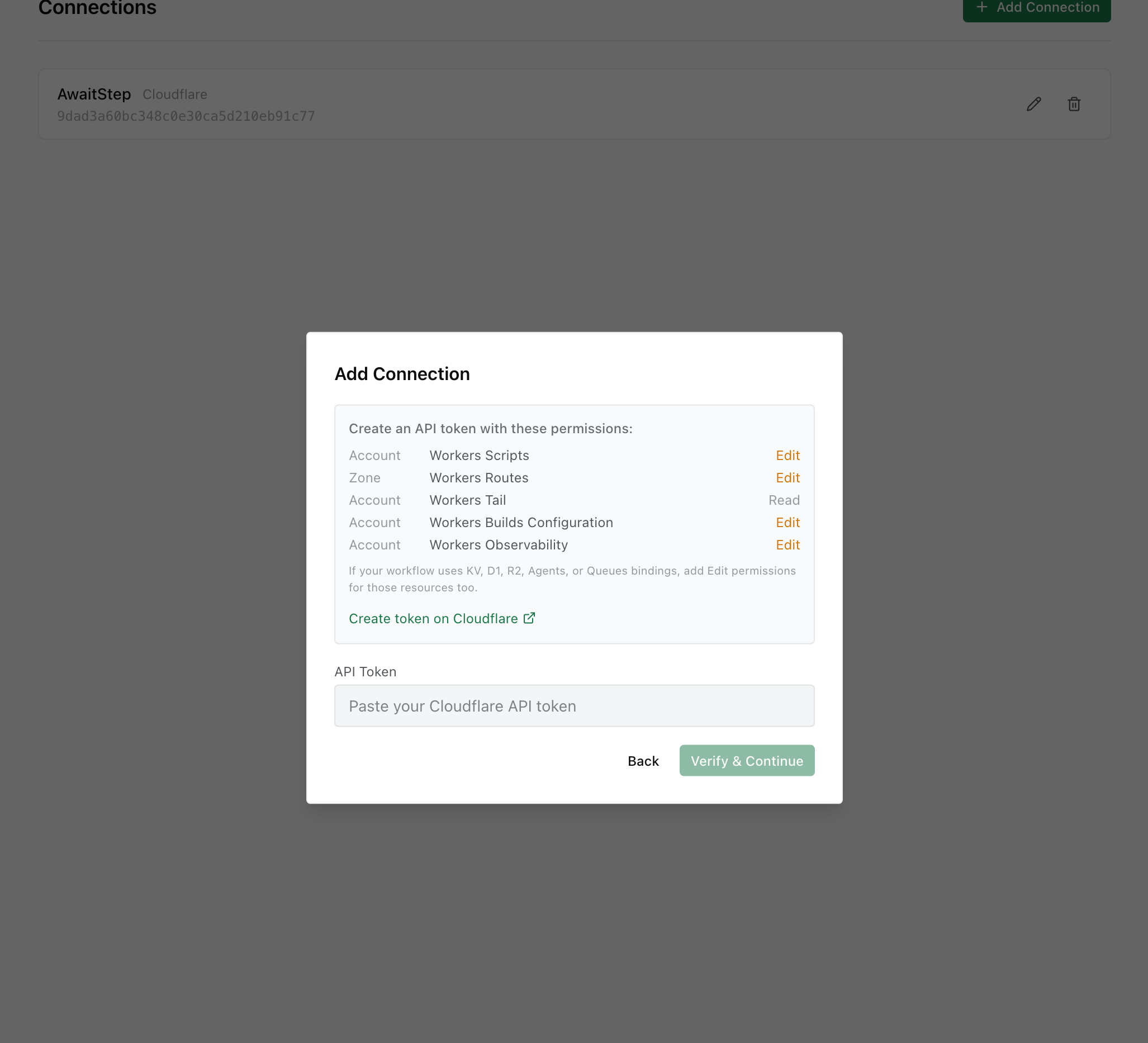
- Go to Connections and click Add Connection.
- The dialog shows the exact permissions required. Paste your API token.
- Click Verify & Continue. AwaitStep validates the token and lists accessible accounts.
- Select the target account and confirm.
Token rotation
When you need to rotate the token (e.g. for security hygiene or after a suspected leak):
- Create a new token in the Cloudflare dashboard with the same permissions.
- In AwaitStep, go to Connections → Your Cloudflare Connection → Edit and paste the new token.
- Click Verify & Save.
- Delete the old token from the Cloudflare dashboard.
Existing deployed workflows are not affected by token rotation — they run as Cloudflare Workers and do not depend on the AwaitStep token at runtime.